Gamesir G7 Pro controller (xbox/pc/android): simply the best on the market at its price tag!
I’ve been using a couple of original Microsoft Xbox controllers for 3 months and after such a short period one of those is already having drifting issues! Disappointed, I’ve looked for an alternative controller that should be more reliable and anti-drifting, so I ended up purchasing the G7 pro.
The Gamesir G7 Pro controller is a high quality gaming controller which has the same main layout of the xbox controller and has an accessible price compared to other “pro” controllers such Razer, SCUF or Turtle Beach ones which are way more expensive. The main selling point to me is that the G7 pro utilizes a magnetic system (“hall effect”) for the sticks instead of a mechanical one in order to avoid drifting issues and that it includes in its box the charging station and the wireless adapter (which you might buy separately if you buy controllers from other brands such Microsoft).
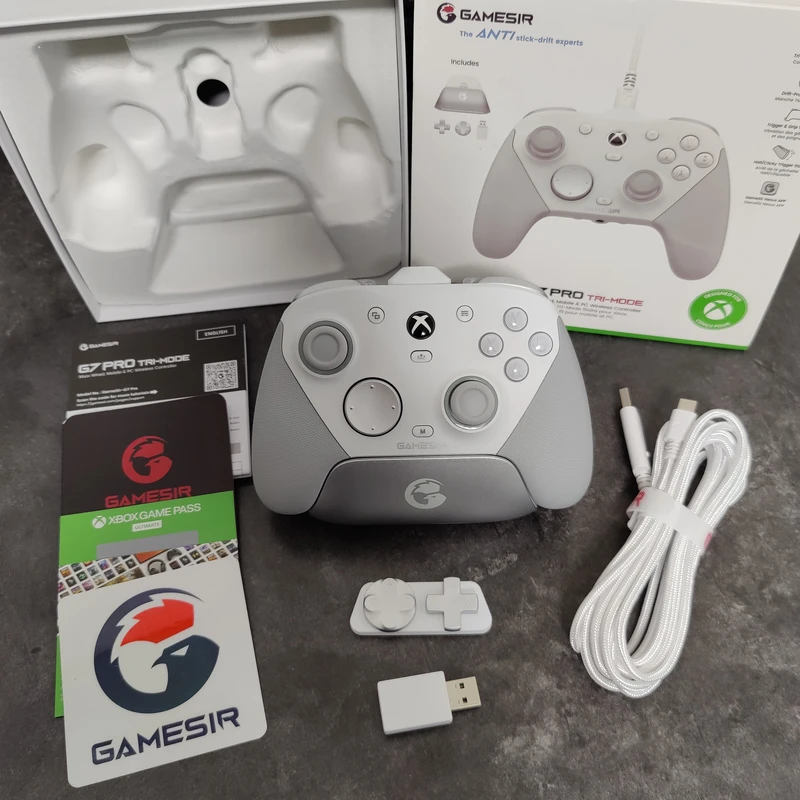
This is what you’ll find inside the box:
- The controller (of course)
- A charging station
- A very long (3m!) usb/usb-c cable
- A 2.4G wireless receiver
- 2 alternative directional pads
- An activation code for a free 1 month xbox game pass premium
- A gamesir sticker
- The manual (translated in most of the languages known on the planet)
The controller
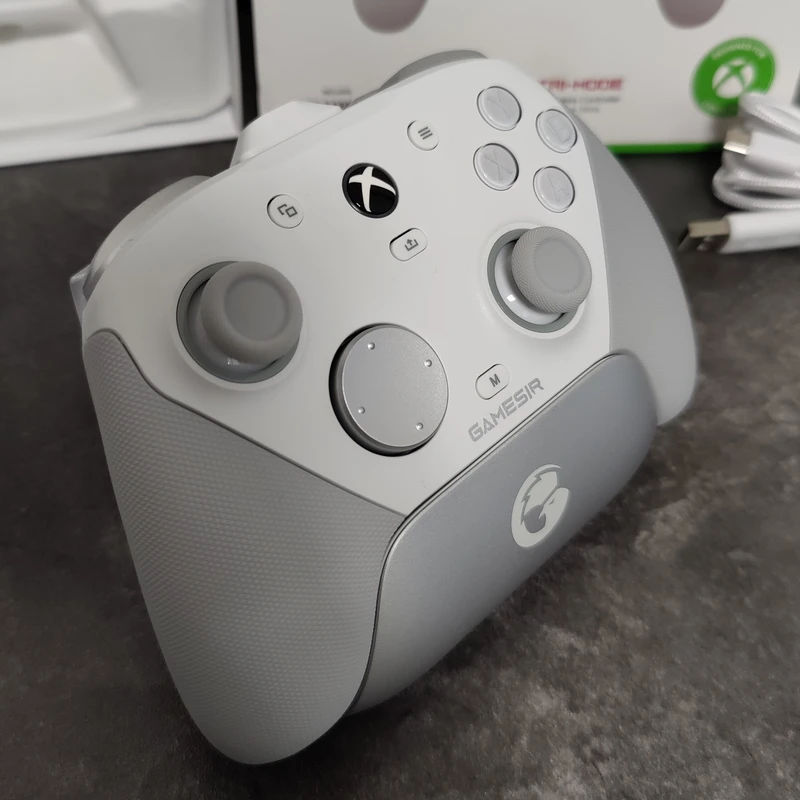
The design is clean and sober, with the same top side layout of the original xbox controller but with some minor exceptions, for instance the “view” and “menu” button are placed slightly toward the top of the joypad (to be honest not the best design decision by Gamesir, since compared to the original position, it forces a cumbersome crossing with the thumb over the left stick to reach the button, while on the original one you can simply shift the finger to the right more naturally), in addition the G7 pro has a new little button, the “M button” used to activate/deactivate some controller modes which is placed at the bottom of the shell above the manufacturer logo. Differently from the xbox controller, you can immediately see that the shell is not uniform but it has handles with a different color and a different texture providing a better grip, moreover the material utilized is different from the top side (using a hard plastic) to bottom side (using a soft plastic). The “X“, “Y“, “B” and “A” buttons have a fantastic mechanical feedback and are a pleasure for both your fingertips and your ears and the same can be said for the directional pad which I love (the noise of the xbox controller is something really annoying to me). The sticks instead have more or less the same quality and feeling of the xbox controller but the G7 pro needs to be calibrated in order to provide the best accuracy (it’s basically just a matter of pressing the xbox button and the the ones on the left and right simultaneously).
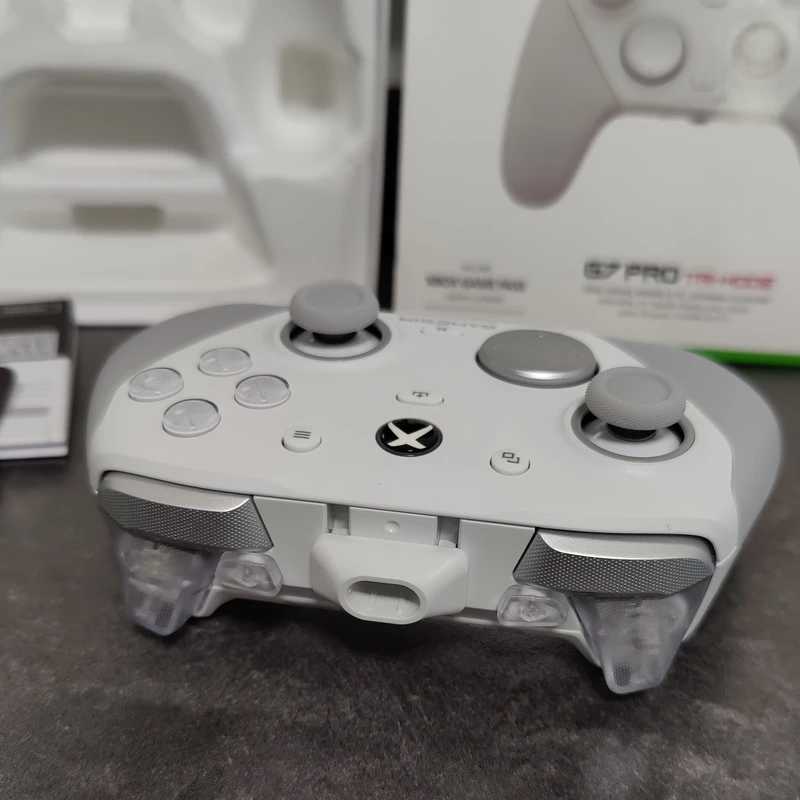
By looking at the triggers side on the G7 pro controller we can see 2 additional buttons, named “L5” and “R5” which by default replicate the same action of “LT” and “RT” (the bigger triggers on the bottom) but can be mapped to whatever we like. The super cool feature of the “main triggers” (LT/RT) is that we can reduce the “ROM” (range of motion) and make them trigger with “less effort” and faster (this is amazing in FPS games because you are able to aim and shoot instantly!), this can be configured by shifting the levers on the back of the controller. There is also a plastic “spout” in the center around the usb-c port which I personally don’t like and don’t get why it has been added, but fortunately it’s a removable piece.
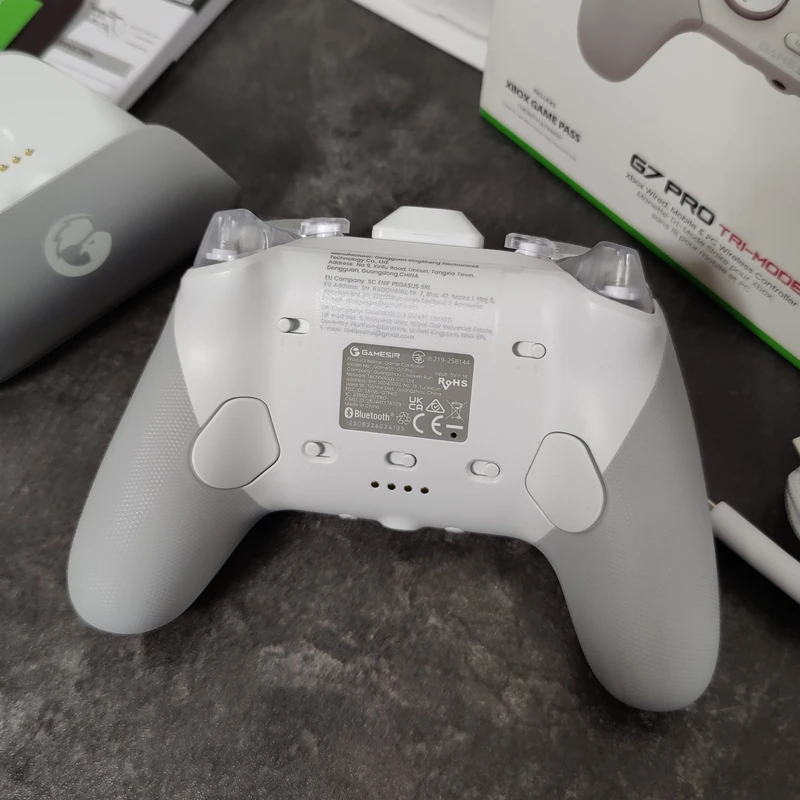
By flipping the G7 pro to the back we can notice that here is where the differences with the xbox controller are the most obvious. There are 4 small levers, 2 at the top which can reduce the “ROM” of the triggers as mentioned before and 2 on the bottom which can be use to lock/disable the 2 extra buttons on the back named “L4” and “R4” (the locking feature to me is essential since I guess I would trigger those buttons unintentionally way too often, since those are placed in the middle of the handles slightly shifted toward the center of the shell… not an ideal place for my hands and my gaming grip). Finally there is also a fifth lever that can be utilized to switch between bluetooth and wireless mode (of course the adapter must be plugged in in this case). We can also spot four golden dots on the bottom which are the contacts for the charging station. The batteries are included in the controller and the back can’t be opened and personally I like this point very much since I find instead really dumb the Microsoft choice of having the xbox controllers with a slot to insert standard batteries that you have to purchase apart.
On the rear side there are then: the bluetooth pairing button, the 3.5mm audio jack port and the mute/unmute button for the microphone.
Charging station, wireless receiver and connection cable
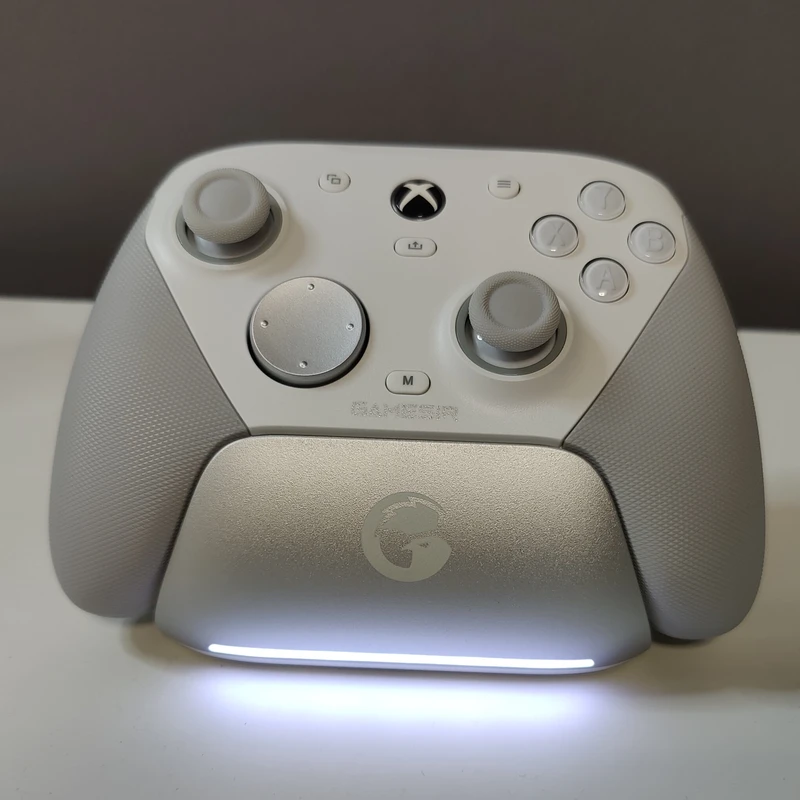
The G7 pro charging station is honestly the best one I tried so far: it’s well designed, compact and smart. The base will charge the controller only if required and will blink to make it clear, while it will turn off when the controller is fully charged. The connection with the controllers in wireless mode is fantastic, there is basically no latency at all and you don’t even have to turn off the controller by pressing the Xbox logo since it will turn on automatically once you lift the device from its base! Moreover we don’t even need to pair the controller with the wireless receiver, it gets automatically recognized! The connection stability is awesome and I haven’t faced a single disconnection in tons of hours of gameplay. Battery duration should not be a problem even for the most hardcore gamers since it should for ~12 hours once full charged.
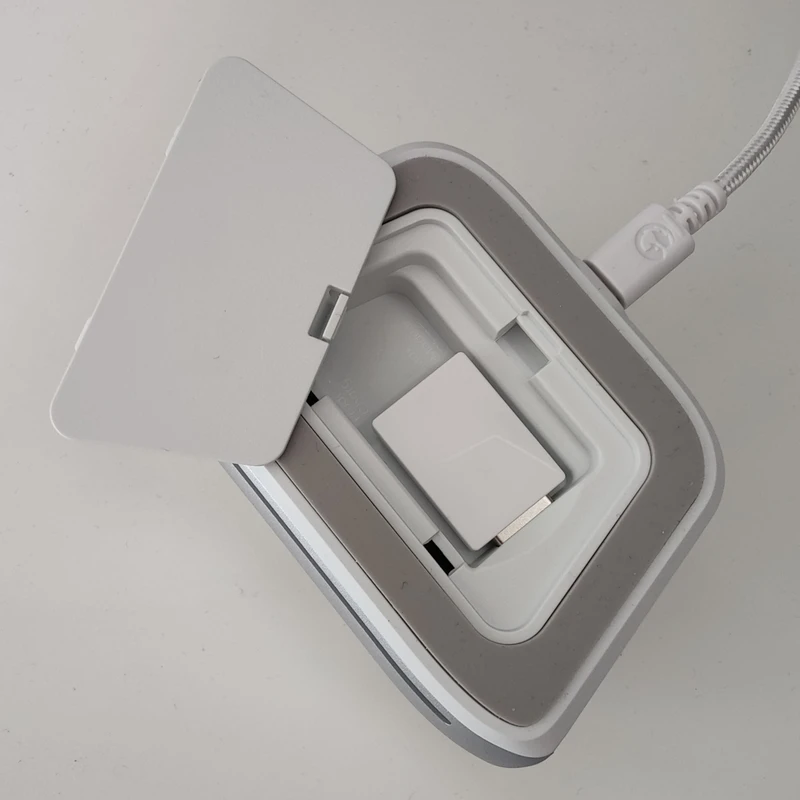
On the bottom of the charging station there is a slot we can use to insert the wireless receiver and this is another great idea which allows us to save an usb port on our PC. The provided cable to connect the charging station to the PC is a long and soft 3m USB/usb-c cable of the same color of the controller (white in my case).
To recap (or TLDR)…
- Is the Gamesir G7 pro better than the xbox controller? Yes, absolutely!
- Is the Gamesir G7 pro the best controller money can buy? Probably not, but…
- Can I buy a better controller for the same price or less? I don’t think so! 😉
Did you test gyro on the G7 Pro, how does it compare with the dualsense?
Nope, I’m sorry, but honestly I think that none of the games I play use that feature 😛